How Long Should a Smartphone Last? Battery, Hardware, and Software Explained
A smartphone does not have one fixed expiry date. For most people, a well-chosen phone should remain useful for about three to five years, while some premium models can serve for six years or longer if the battery can be replaced and security support continues. A cheaper phone may still last physically for a long time, but limited storage, weak performance, unavailable parts, or a short update promise can make it impractical much earlier.
The useful answer, then, is not simply “three years” or “five years.” A phone lasts only as long as its battery, hardware, software support, app compatibility, and repair options remain good enough for the owner’s actual needs. These parts of the story age at different speeds. Understanding them makes it easier to decide whether a slow or tired phone needs a repair, a cleanup, or a replacement.
There are several meanings of “last”
A phone can power on and make calls long after it stops being a sensible daily device. That is physical survival, but it is not the same as useful life. A practical phone needs to hold enough charge, run essential apps, receive important security fixes, connect reliably, and complete ordinary tasks without constant delay.
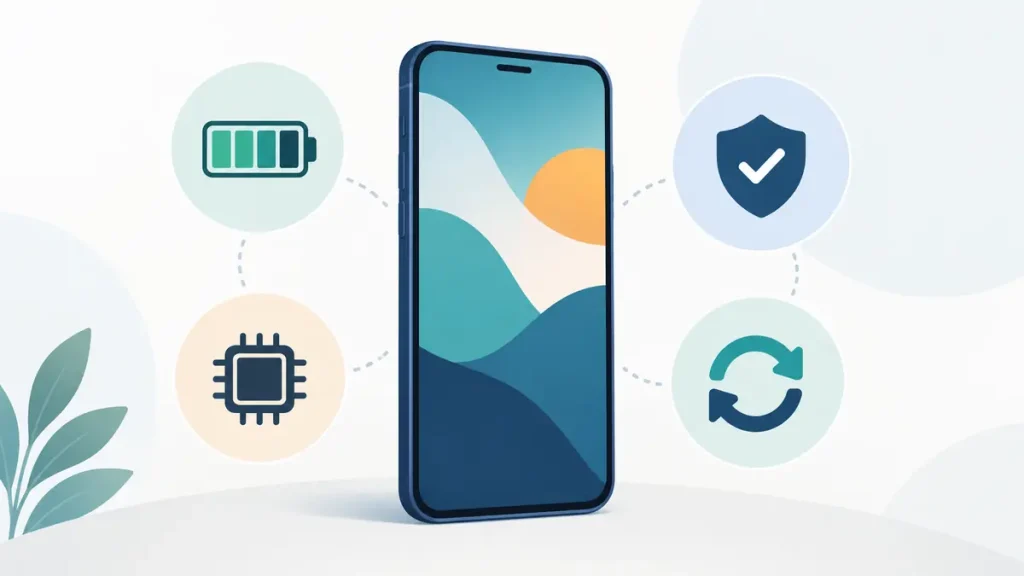
It helps to separate four questions. Is the hardware still working? Does the battery last through the part of the day when you need it? Is the operating system still supported? Do the apps you rely on still work? A yes to only the first question is not enough. An old phone in a drawer may be technically alive while being unsuitable for banking, work, travel, or two-factor authentication.
A realistic lifespan by type of phone
Entry-level phones often remain comfortable for roughly two to four years. They can last longer when the owner mainly calls, messages, browses, and uses a few light apps. Their common limits are small storage capacity, modest memory, slower processors, and shorter software-support periods. None of those automatically makes a low-cost phone bad. It means the buyer should be careful about choosing a model that has enough room and support for the intended ownership period.
Mid-range phones commonly make sense for three to five years. This part of the market often gives buyers enough processor performance and storage without the highest launch price. The result can be a good cost per year, especially when the manufacturer provides a clear update policy and a battery replacement is available.
Premium phones can remain useful for four to seven years, but price alone does not guarantee that result. A costly model with a damaged display, glued-in battery, unavailable replacement part, or weak local repair support can become uneconomical. On the other hand, a model with long security coverage, widely available parts, and sufficient storage may justify its price over a longer period.
These ranges are not promises. A delivery driver using navigation outdoors all day puts a different load on a phone than someone who mainly uses messaging at home. Climate, charging habits, drops, water exposure, network conditions, and the weight of installed apps all change the outcome.
The battery usually shows age first
Lithium-ion batteries wear through both use and time. A charge cycle is not necessarily one trip from 100 percent to zero. It is the combined use of an amount equal to the battery’s full capacity. Using 50 percent today and 50 percent tomorrow adds up to one cycle, even if the phone was charged in between.
As a battery ages, it stores less energy. Runtime becomes shorter, the percentage may fall quickly under a heavy load, and an older phone may shut down even though the display still shows charge remaining. Heat makes this process harder on the battery. Frequent gaming while charging, leaving the phone on a hot dashboard, or repeatedly using fast charging in a hot room can keep the battery at an uncomfortable temperature for long periods.
Manufacturer design targets provide context, not a personal forecast. Apple states that batteries in iPhone 14 models and earlier are designed to retain 80 percent of original capacity after 500 complete cycles under ideal conditions. For iPhone 15 models, Apple states a 1,000-cycle design target under ideal conditions. Real capacity depends on how the device is used and charged. The figure should not be read as a guarantee that every battery reaches the target or fails immediately after it.
A tired battery does not always mean the entire phone is finished. If the device still has adequate performance, current security support, and no serious physical damage, a proper battery replacement can buy meaningful additional use. The calculation changes when a battery repair is expensive, the display is also damaged, or the phone has very little support left.
Hardware can age without actually breaking
Processors do not normally become slower because the silicon has “worn out” in ordinary use. The experience around the processor changes. Newer operating systems and apps demand more memory and storage. Batteries deliver power differently as they age. Heat can cause the phone to reduce speed temporarily. Background services increase. Storage fills with photos, videos, offline files, message attachments, and application data.
Free storage matters more than many owners expect. A phone that is almost full has little room for updates, temporary files, new photos, and normal housekeeping. Deleting a small number of files may produce only brief relief if the device began with limited capacity and the owner’s library keeps growing. A factory reset can remove accumulated software clutter, but it cannot add physical storage, replace a weak battery, increase memory, repair a damaged port, or extend an expired update policy.
Other hardware failures are easier to see. Charging ports loosen or collect compacted lint. Buttons stop responding consistently. Displays develop cracks, touch faults, tint, or burn-in. Camera stabilizers fail. Speakers become quieter after water or dust exposure. A single fault may be repairable, but several faults at once can push the total cost beyond what the phone is worth.
Software support sets a less visible deadline
A phone may feel fast and still be approaching the end of its supported life. Operating-system upgrades, security patches, and app support are separate timelines. Major operating-system upgrades bring new platform features and requirements. Security updates fix known weaknesses. App developers set their own minimum operating-system versions, so a particular banking, authentication, transport, or workplace app may stop supporting an old release at a different time.
Buyers should check the manufacturer’s policy for the exact model and region rather than assuming every phone from a brand gets the same treatment. Google publishes update periods for Pixel models, while Samsung maintains information about devices receiving security updates. Other makers use their own schedules, and policies can differ between an inexpensive model and a flagship released in the same year.
The purchase date is not the start of the support clock. A phone launched two years ago and sold at a discount today may already have used a meaningful part of its promised support period. This is why launch date and remaining update runway belong in any used-phone or clearance-sale check.
What happens after security updates end
End of support does not usually make a phone stop working overnight. Calls, messages, the camera, and installed apps may continue normally. The change is that newly found operating-system weaknesses may no longer receive ordinary fixes from the manufacturer. Risk grows gradually, and it grows faster for a phone used for sensitive accounts, unknown downloads, public networks, or work data.
An unsupported phone can sometimes have a limited second use, such as an offline music player or a local remote control, provided the owner understands the exposure. It is a weaker choice for banking, password management, primary email, identity documents, or the account that receives recovery codes. Continued operation should not be confused with continued protection.
App compatibility can end at its own pace
App support is easy to overlook because apps do not all stop together. A simple calculator may work for years, while a banking app may require a newer operating system sooner. Web browsers are especially important because they process untrusted content from many sites. If the system browser or browser engine no longer receives security fixes, using the phone for broad web access becomes harder to justify.
Before keeping an old phone for another year, list the five or six apps that truly matter. Check whether they still receive updates on that operating-system version, whether notifications work reliably, and whether sign-in or payment features behave normally. The useful life of the device may be determined by one essential app rather than by a benchmark score.
Repairability changes the lifespan calculation
Two phones with similar specifications can have different ownership lives because one is easier to repair. Useful questions include whether an official or reputable replacement battery is sold, whether a screen is available, whether the manufacturer publishes a procedure, whether software pairing or calibration is required, and whether a competent local technician will take the job.
The European Union’s energy label for covered smartphones and slate tablets gives buyers information including battery endurance, battery cycle life, and a repairability class. That is useful progress, but a label still cannot quote the price in your town or promise that a part will be available several years later. A repairability score should begin a local cost check, not end it.
A battery replacement is often the most reasonable life-extending repair. A display replacement can also make sense on a newer supported device. Board-level damage, water corrosion, multiple failed parts, or a repair price close to the cost of a suitable replacement needs more caution. Data risk and repair warranty matter alongside the quote.
How to estimate how many years your phone has left
Start with support, because it is the easiest limit to miss. Find the exact model name and, where relevant, the regional variant. Note its launch date and the manufacturer’s stated end date or update period. Do not rely on a seller saying “still supported” without a date.
Next, check battery behavior rather than looking only at one health percentage. Record how long the phone lasts during a normal day, how much it loses overnight, whether it becomes unusually warm, and whether the percentage falls sharply during camera use, navigation, video calls, or gaming. A health estimate is helpful, but actual runtime and stability show what the owner experiences.
Then check storage. Look at total capacity, free space, and the categories using the most room. Consider how quickly photos and apps have grown during the past year. If the phone has only a few gigabytes free after a careful cleanup, storage pressure will probably return.
Finally, price the likely repair. Compare the battery or screen quote with the cost of a replacement phone that meets the same needs. Include a case, charger, data transfer, taxes, and any lost resale value. A cheap replacement is not cheap if it receives updates for only a short time or needs another purchase soon.
Signs that a repair may be enough
A repair is a strong candidate when one clear fault explains most of the frustration. Short runtime with otherwise good performance points toward the battery. An unreliable cable angle may indicate lint, a damaged cable, or a worn port rather than a dead phone. A cracked display on a recently released model can be worth repairing if the frame and main board are healthy.
The case is stronger when the phone still has several years of security support, enough storage, working cameras and radios, and a repair quote well below the cost of a suitable replacement. Ask what part will be installed, what warranty covers the repair, whether water-resistance seals are replaced, and whether any warning or calibration issue will remain.
Signs that replacement deserves serious consideration
Replacement becomes more reasonable when problems overlap. An unsupported phone with a weak battery, full storage, a cracked display, and an intermittent port is not one simple repair. Even if each issue can be fixed, the combined bill may buy only a short extension.
Other warning signs include swelling, recurring unexplained shutdowns after a reputable battery repair, serious water damage, unavailable parts, essential apps dropping support, or performance that remains inadequate after storage and software causes have been checked. A swollen battery is a safety issue; stop charging or pressing on the device and seek qualified handling advice.
Ways to keep a phone useful for longer
Choose enough storage at purchase. Keep several gigabytes free rather than running at the limit. Install security updates while the model remains supported. Use a protective case that does not trap excessive heat, and replace a badly damaged cable instead of forcing it into the port. Avoid leaving the phone in hot cars or direct summer sun.
Charging does not need to become a daily ritual of anxiety. The larger goals are sensible temperature, a reliable charger and cable, and avoiding unnecessary time at extreme charge levels when the device offers a practical charge limit or optimized charging feature. Convenience matters too; a battery-saving setting that leaves the phone empty when it is needed is not helping the owner.
Review battery and storage once or twice a year. That is often enough to catch a growing problem before it turns into a rushed purchase. Keep backups current as well. A phone near the end of its life is exactly the phone most likely to fail before the owner chooses a replacement.
A better final question than “How old is it?”
Age is useful, but remaining service matters more. A four-year-old phone with a new reputable battery, two years of security coverage, enough storage, and available parts may be a better daily device than a two-year-old budget model that is almost full and close to the end of support.
Judge the phone as a working system. Check the battery, hardware condition, free storage, security runway, essential apps, and repair price together. If one affordable repair restores dependable use for another year or two, keeping the device can be the sensible choice. If several clocks are running out at once, replacing it before an emergency gives you more time to compare support, storage, parts, and true cost.
Sources
- Apple Support: iPhone battery and performance
- Google Pixel Help: Learn when Pixel devices receive software updates
- Samsung Mobile Security: Security update scope
- European Commission: Smartphones and tablets
Last reviewed: September 6, 2026. This is a documentation-based guide; individual battery condition, repair cost, and update availability vary by model and region.
