What Battery Cycle Count Means on a Phone or Laptop
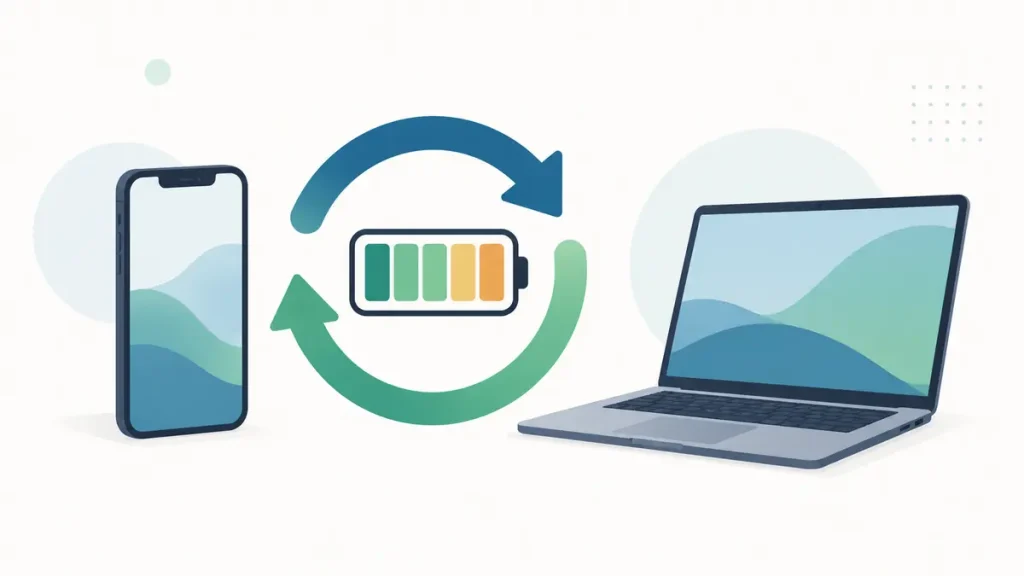
Battery cycle count is a record of how much total charge a rechargeable battery has delivered, not simply how many times a phone or laptop has been plugged in. One cycle is completed after the device uses an amount equal to 100 percent of the battery’s capacity. That could happen in one long day, two days of 50-percent use, or several smaller sessions.
The number is useful because lithium-ion batteries gradually lose capacity as charge moves in and out of them. It is not a countdown to sudden failure. A battery at 500 cycles may still be dependable, while a battery with fewer cycles can perform badly after years of heat, long storage at an extreme charge level, physical damage, or a manufacturing fault.
A cycle is cumulative use
Imagine charging a phone to 100 percent, using it down to 60 percent, and recharging it. That is roughly 40 percent of a cycle. If the next day you use another 60 percent, the two days together add up to one complete cycle. Plugging in twice did not create two cycles.
The same principle applies to a laptop. A person who keeps a laptop on a desk may plug and unplug it many times while using relatively little battery energy. Another person may discharge most of the battery every workday and add cycles more quickly. Connection to a charger is not the measurement; accumulated discharge is.
Cycle reporting is still an estimate. The battery-management system measures current, voltage, temperature, and charge movement, then software calculates the result. Replacements, controller resets, repair history, and reporting faults can complicate what appears on screen. Treat the number as one piece of evidence rather than an exact odometer that can never be wrong.
Why cycle count matters
A lithium-ion battery changes chemically with use. It becomes able to store less energy than it held when new, and its internal resistance can increase. In ordinary use, that may mean shorter runtime, more heat under load, a percentage that drops quickly, or shutdowns when the device demands a burst of power.
Cycle count helps explain why two devices of the same age can feel different. A three-year-old phone used lightly on weekends may have far fewer cycles than a three-year-old phone used for navigation, video, and gaming every day. Calendar age is the same, but charge use is not.
For a used device, the number can reveal heavy use that a clean case hides. It does not reveal everything. A replaced battery may have a low count even though the phone itself is old, and some platforms do not show a trustworthy number to the owner. You still need runtime, health, repair-history, and physical checks.
Cycle count and battery health are not the same number
Cycle count describes accumulated use. Battery health usually estimates current full-charge capacity compared with original design capacity. A health reading of 85 percent generally suggests that a full charge now stores about 85 percent of the energy the battery was designed to hold, although the calculation and displayed rounding vary.
A battery can have a moderate cycle count and weak health. Heat may have accelerated calendar aging. It may also have spent a long period stored empty or fully charged in a hot place. The reverse is possible too: a high-cycle battery used in mild temperatures may retain capacity better than someone expects.
Neither number fully describes power delivery. A battery can report an acceptable capacity yet allow the voltage to fall sharply when the processor, camera, modem, or graphics hardware draws high power. That is why a phone may appear fine during light reading but shut down during video recording or navigation.
Manufacturer cycle targets need careful reading
Apple says iPhone 14 models and earlier are designed to retain 80 percent of original capacity at 500 complete charge cycles under ideal conditions. The stated design target for iPhone 15 models is 1,000 complete cycles under ideal conditions. Apple also makes clear that actual capacity depends on regular use and charging.
This wording is important. It does not mean every earlier iPhone becomes unusable on cycle 501, or that every newer model will retain exactly 80 percent at cycle 1,000. It is a design reference under specified conditions. A particular battery may be above or below that level.
Mac laptop cycle limits differ by model, and Apple publishes a model-specific table. Other manufacturers may report expected cycle performance in product documents, warranty terms, or support tools. Never transfer one company’s target to every device. Battery chemistry, pack design, thermal control, and the definition used in documentation can differ.
Where to find cycle count
On newer supported iPhones, battery information available in Settings depends on the model and iOS version. Apple’s support instructions should be checked for the exact device. On Mac laptops, System Information can show cycle count under Power. The battery-condition label and maximum capacity provide related information.
Windows laptops are less uniform. The built-in battery report can show capacity and usage information, but the displayed sections and whether a clear cycle count appears depend on the battery firmware and manufacturer. Some laptop makers include their own diagnostic application or firmware screen.
Android phones vary even more. A manufacturer may show battery status, estimated health, manufacturing date, or cycle information on certain models and software versions. Third-party apps cannot magically read a value that the system does not expose. Many estimate health from charging sessions, so a result based on a few partial charges should not be treated as a laboratory measurement.
A low cycle count can still hide an old battery
Battery cells age while sitting unused. A five-year-old laptop that spent most of its life connected to power may show fewer cycles than a two-year-old travel laptop, yet time and temperature have still affected it. Storage conditions matter. Months in a hot warehouse, car, or unventilated cabinet can cause more damage than the cycle number suggests.
This is why calendar age deserves equal attention in a used-device inspection. Check the model’s launch period, the original purchase date if supported by evidence, the battery’s manufacturing information where visible, and whether the battery appears to have been replaced. A low count is encouraging only when the rest of the story fits.
A high cycle count does not automatically mean “bad”
A device with many cycles may still deliver enough runtime for its owner. A laptop used near an outlet does not need the same unplugged endurance as one used in classrooms or on trains. A phone that lasts a full light-use day may be acceptable even if its capacity is below the level a heavy user wants.
Look for stability as well as duration. Does the percentage decline gradually? Can the device handle a video call, camera recording, game, or processor-heavy task without shutting down? Does it charge at a normal rate without excessive heat? Stable behavior can matter more than an isolated count.
The planned use changes the threshold. A high-cycle phone might be fine as an offline music player or backup device. The same battery may be unsuitable for emergency travel, field work, or two-factor authentication where unexpected shutdowns have a higher cost.
How to assess a used phone or laptop
Begin with a full charge using a known-good compatible charger. Note the reported maximum capacity or full-charge capacity, then use the device for a repeatable task. For a phone, that might be one hour of local video at fixed brightness followed by a standby period. For a laptop, it might be a video call or document workload at a recorded brightness and power setting.
Do not claim that one quick test measures the whole battery. Its value is comparison. Sudden percentage drops, unexpected shutdowns, very short runtime, or unusual heat are more useful warning signs than a small difference between two health estimates.
Inspect for swelling, case separation, a raised trackpad, screen pressure marks, or a smell. Stop the test if the battery is swollen, leaking, excessively hot, or physically damaged. Battery safety takes priority over completing a benchmark.
Ask for repair records. On supported iPhones, Parts and Service History may identify certain repairs and whether a part is recognized, though the labels and detail depend on the model and software. A missing record is not universal proof that no repair occurred. On laptops, compare battery identifiers and manufacturer diagnostics where available.
When the number supports replacement
Battery replacement is reasonable when cycle count is high, measured capacity is low, runtime no longer meets the job, and the rest of the device is worth keeping. The decision is stronger when the phone or laptop still receives security updates, has adequate storage and performance, and can accept a reputable battery at a sensible price.
Do not replace a battery only because an internet chart says the count is high. If runtime is good and the pack is stable, the owner may gain little. Likewise, do not ignore a failing battery because the count seems low. Swelling, shutdowns, and abnormal heat require attention regardless of the displayed number.
Habits that affect how quickly cycles accumulate
Using less battery energy naturally adds cycles more slowly. Lowering unnecessary screen brightness, improving poor signal conditions where practical, limiting constant location use, and stopping a faulty app from running in the background can reduce daily drain. These actions should solve a real problem rather than turn the device into something inconvenient.
Partial charging is normal for lithium-ion devices. You do not need to discharge to zero to “complete” a cycle. Deep discharge adds no special accuracy to the counter and can leave you without power. Use the manufacturer’s charge-limit or optimized-charging feature when it suits your routine, and keep the device away from prolonged heat.
Read cycle count as part of a pattern
The best battery assessment uses four pieces together: cycle count, estimated capacity, calendar age, and observed behavior. Cycle count tells you how much charge use has accumulated. Capacity estimates how much energy fits now. Calendar age catches wear that happened while sitting. Runtime and stability reveal what the owner actually experiences.
If all four point in the same direction, the decision is easier. A four-year-old battery with many cycles, weak capacity, and abrupt shutdowns is a clear replacement candidate if the device remains useful. If the numbers disagree, repeat the test, check official diagnostics, and avoid paying for a repair based on one reading.
Keep a small battery record
If a device matters for work or travel, record a few readings instead of relying on memory. Once every three months, note the date, cycle count where available, maximum or full-charge capacity, normal screen-on runtime, overnight loss, and any shutdowns. Use roughly the same workload and brightness when comparing results.
This record will not turn a phone into laboratory equipment, but it can show whether decline is gradual or sudden. A sharp change after an operating-system update may point toward a software or background-use problem. A steady capacity loss over many months looks more like normal aging. If a new battery starts behaving badly soon after installation, the notes also give a repair shop clearer evidence than “it does not last like before.”
Sources
- Apple Support: iPhone battery and performance
- Apple Support: Determine battery cycle count for Mac laptops
- Apple Support: iPhone Parts and Service History
Last reviewed: September 6, 2026. Battery menus and reported values vary by manufacturer, model, operating-system version, and repair history.
