Why Phones Slow Down With Age—and What a Factory Reset Cannot Fix
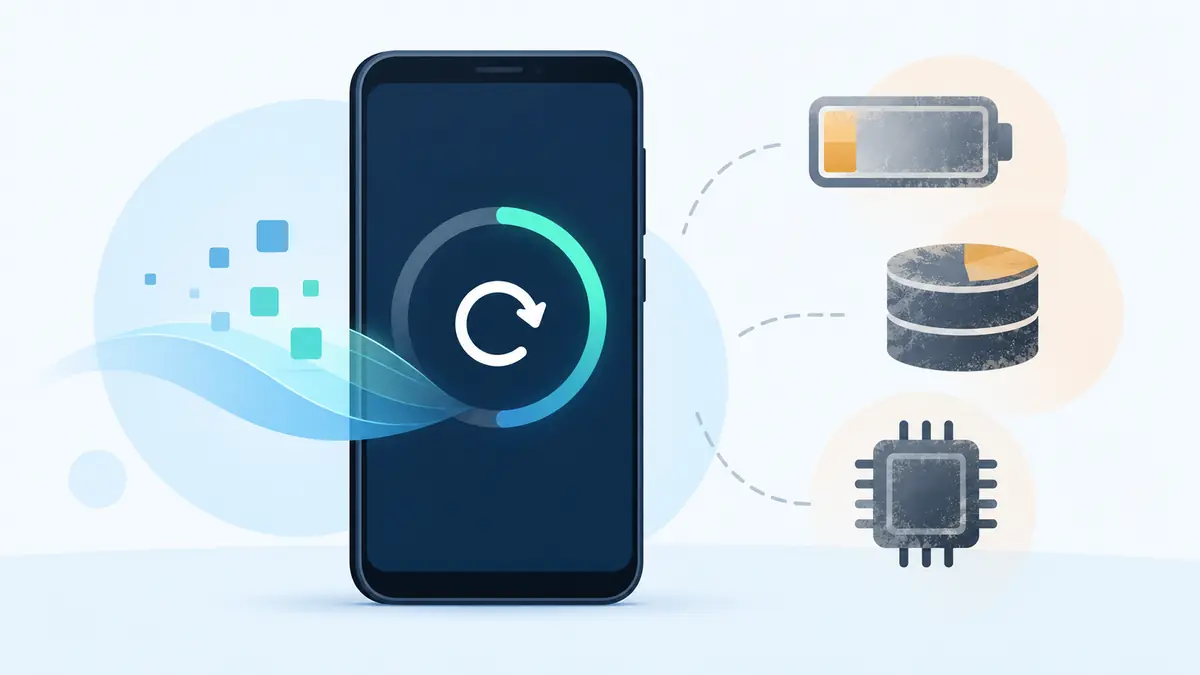
A factory reset can make an old phone feel cleaner, but it cannot make every kind of aging disappear. It removes accounts, apps, files, and settings; it does not install a faster processor, restore worn battery chemistry, repair storage cells, improve a weak modem, or reopen a closed software-support window.
The useful question is not whether reset “works.” It is which delay the reset could reasonably remove. A phone can slow because its workload grew, free storage disappeared, a background process misbehaves, heat limits performance, the battery can no longer deliver power as confidently, or the hardware simply no longer meets current software demands. Each cause leaves different clues.
First, define the slowdown
Measure a specific action. Does the phone take longer to unlock? Does the camera shutter lag only after several photographs? Do apps launch slowly, pages load slowly, or animations stutter? Does performance collapse below a certain battery percentage? Does the problem appear on mobile data but not Wi-Fi?
“The internet is slow” may be a network issue. “The keyboard is slow” may be one app, a language pack, or memory pressure. “The whole phone is slow” may be heat or storage activity. Write down the trigger, duration, temperature, charge level, free space, and whether a restart changes it.
Compare like with like. A newly reset phone with no accounts and no photo library has less work to do than the same phone after syncing finishes. Judge performance only after updates, indexing, photo analysis, and app restoration settle.
New software asks more of old hardware
Applications evolve around newer processors, more memory, faster graphics, and current operating-system features. Web pages carry more scripts and media. Camera pipelines perform more computation. Messaging apps manage larger histories. Security protections can also add necessary work.
This does not mean developers deliberately ruin old phones. It means a fixed hardware budget serves an expanding workload. A processor that launched apps quickly five years ago may now spend more time decoding, encrypting, indexing, and rendering each action.
A reset removes accumulated data and third-party software, so it can lower the workload. It cannot change the processor’s execution speed, installed memory, or graphics capability. If one required app now exceeds the comfortable limit, the improvement may be brief.
Low storage creates system-wide delays
A phone needs free space for downloads, updates, temporary files, databases, caches, photo processing, and internal maintenance. When storage is nearly full, ordinary operations compete for a small working area. Failed updates and camera errors can join the slowdown.
Check the storage settings and identify large categories. Move or back up important media before deleting anything. Remove downloads and applications that are genuinely no longer needed. Clearing every cache repeatedly is not a durable solution if photos or offline media immediately fill the space again.
A reset creates free space because it erases local content. If the owner restores the same oversized library and every app, the shortage returns. The lasting fix is enough capacity for the current workload plus working room, or a different storage plan.
Flash storage also ages
Phones use flash memory with a controller that manages writes, errors, and spare cells. Heavy use, heat, age, and manufacturing variation can affect performance and reliability. Consumers do not always receive the clear health data available for a laptop SSD.
Warning signs include repeated file corruption, failed updates despite adequate reported space, unexplained restarts, extremely slow installations, or a device that becomes read-only. These symptoms require a verified backup. A reset writes heavily to storage and should not be the first experiment when data integrity is already uncertain.
Resetting reorganizes software but does not replace worn storage hardware. If a clean phone remains abnormally slow during setup or system updates, professional diagnosis or replacement is more credible than repeating the erase.
Battery aging can affect performance
A lithium-ion battery loses capacity and its ability to provide peak power as it chemically ages. Temperature, charge history, time, and use affect the rate. Short runtime is the obvious symptom, but power stability also matters.
Apple documents performance management used on certain iPhone models when the system needs to prevent unexpected shutdowns from a battery that cannot deliver required peak power. Other phones manage power and temperature in their own ways. Do not assume every old battery creates the same behavior, but test the relationship between charge level, temperature, shutdowns, and speed.
A factory reset cannot reverse battery chemistry. If diagnostics show service is recommended, the phone shuts down under load, or performance changes sharply with charge level, obtain a battery assessment. A proper replacement may restore dependable behavior when the rest of the phone is sound.
Heat turns a fast phone into a cautious one
Processors reduce performance when temperature approaches a protective limit. A phone can warm during gaming, navigation, video calls, charging, camera use, setup, poor-signal transmission, or a hot day. A damaged battery, failing component, thick case, or background loop can worsen the condition.
Observe whether the slowdown begins after several minutes and improves when the phone cools. Move out of direct sun, stop demanding work, remove an insulating case if safe, and avoid charging during the test. Never place a hot phone in a freezer or against condensation.
A reset may stop a software process that caused heat. It cannot clean internal corrosion, replace dried thermal materials where relevant, repair a damaged battery, or change the cooling limits of a compact design.
Background apps and account synchronization
One misbehaving application can consume processor time, network data, location access, or battery in the background. Review the operating system’s battery and data-use screens. Look for a recent change rather than assuming every installed app is equally responsible.
Update the app, test without its background permission where practical, or remove it. Check widgets, accessibility services, VPNs, keyboards, device-management tools, and cloud photo uploads. A reset solves this category only because the troublesome software is temporarily absent.
If every account and app is restored automatically, the cause may return. Reinstall selectively and test between groups. That is slower than pressing “restore all,” but it turns the reset into a diagnostic procedure.
Network delay can masquerade as phone delay
Applications often wait for a server before drawing the next screen. Poor Wi-Fi, cellular congestion, weak signal, DNS problems, a VPN, or a service outage can make taps feel unresponsive even when the processor is idle.
Test an offline action such as opening settings or searching downloaded notes. Compare Wi-Fi and mobile data in the same location. Restart the router if it is yours, disable a suspect VPN briefly, and check the service’s official status. Do not erase a phone to fix a problem that follows one network.
An aging modem or missing frequency bands can be a hardware limitation, especially after changing carrier or country. A reset may renew network settings but cannot add radio support.
Updates can cause temporary work
After a major operating-system update, the phone may rebuild indexes, optimize apps, analyze photos, or complete downloads. Battery use and heat can rise for a while. Connect to power in a ventilated place, maintain free space, and allow the work to finish before diagnosing permanent decline.
A failed or damaged update can also cause persistent trouble. Follow the manufacturer’s official recovery steps. Avoid unofficial “cleaner” utilities that promise one-tap acceleration; many add ads, background activity, or risky permissions.
When the phone no longer receives security maintenance, a reset does not restart support. It can install the final available release, but the update clock remains tied to the model. Read what the end of phone security updates means before keeping it in a sensitive role.
What a factory reset actually changes
An official factory reset removes user accounts, installed applications, local messages and files, many settings, and accumulated application data. Depending on the platform and process, it returns the phone to a clean state on the currently installed or recoverable system version.
That can fix corrupted settings, conflicts, runaway background services, malware limited to the user-data area, and years of unwanted applications. It can free substantial storage. It also removes evidence that might have identified the original cause.
Reset should usually follow a backup, update check, storage review, safe-mode or selective-app test where supported, and basic hardware assessment. It should not be used to postpone action on swelling, overheating, water damage, or storage errors.
What a reset cannot repair
- A chemically aged or physically damaged battery.
- Worn or failing flash storage.
- Insufficient processor, memory, or graphics performance.
- A broken camera, sensor, antenna, button, port, or display.
- Thermal limits created by hardware condition or design.
- Missing cellular bands or obsolete radio technology.
- Expired manufacturer security support.
- An application that no longer supports the operating system.
A reset also cannot preserve data that was never backed up. Treat the erase as destructive, verify the backup by opening important items elsewhere, and record authentication recovery information before beginning.
A safer troubleshooting order
- Back up irreplaceable data and verify the copy.
- Record the exact symptoms, free storage, battery health, patch level, and temperature pattern.
- Restart and install official system and app updates.
- Free a reasonable amount of storage without deleting the only copy of anything.
- Review battery, background use, network conditions, and recently installed software.
- Run official diagnostics or seek a repair assessment for physical signs.
- Reset only when the likely cause is software and earlier steps have not solved it.
- After reset, test before restoring everything.
How to test after a reset
Install system updates, then test basic actions with no third-party applications: unlock, settings, camera, typing, Wi-Fi, charging, and sleep. Add the most important apps one at a time or in small groups. Monitor free space and heat as accounts synchronize.
If performance is normal until one app or data set returns, the reset has helped locate the trigger. If the clean system remains slow, the evidence points more strongly toward hardware limits, battery condition, storage health, thermal behavior, or the current operating system’s demands.
Do not repeat the reset as a ritual. A second erase with the same result provides little new information.
When repair is worth considering
A battery replacement can make sense when diagnostics indicate wear, the phone has several supported years left, and other components are sound. A charging-port or cooling-related repair may also restore performance if a technician can identify the fault. Get a written estimate and ask what parts and warranty are included.
Repair is less attractive when storage or motherboard trouble is uncertain, multiple systems are failing, or software support is nearly over. Compare the repair total with a replacement’s supported years, not only with its sticker price.
The practical answer
Phones often slow because the software workload grows while storage fills, batteries age, heat limits performance, and hardware remains fixed. A factory reset can remove software clutter and corruption, making it valuable when evidence points to apps, settings, or insufficient free space.
It cannot reverse physical aging or extend official support. Diagnose the pattern first, protect the data, and treat reset as one controlled test. If a clean, updated phone is still slow during basic tasks, the answer is likely outside the user-data partition that was erased.
Use a clean setup to test one explanation at a time
On a phone such as the Nothing Phone (3a) or Galaxy A56 5G, a reset should answer a specific software question. Preserve the data you need and plan account recovery first. Then compare the same ordinary task before restoring every application and setting. Immediately recreating the old setup makes it harder to tell whether the reset changed the suspected cause.
If the task remains slow, record available storage, background activity and battery behaviour before spending on a repair or replacement. Memory-expansion advertising also should not be treated as proof that a hardware limitation has disappeared. A clean setup can narrow the explanation, but it cannot establish every hardware fault or forecast future performance. The next action should address the limitation you can observe.
| Keep in your decision record | What to write down |
|---|---|
| Question being tested | Name the suspected software or background-work problem. |
| Comparable task | Use the same app, file and ordinary conditions. |
| Next action | Repair, adjust the setup or replace according to the evidence. |
Apply the guide to a real shortlist:
Updated October 10, 2026: added a practical application and decision record. This documentation-based guide uses estimates where stated; individual condition, repair costs and regional support vary.